Zoom background with your company logo
Upload your logo, pick an office style, and get a Zoom background where your logo looks like real signage on the wall, not a sticker.
Create my background with my logo
Free preview in 30 seconds · 10 HD backgrounds for €9 · Team €19/month
Examples generated with Dream Office

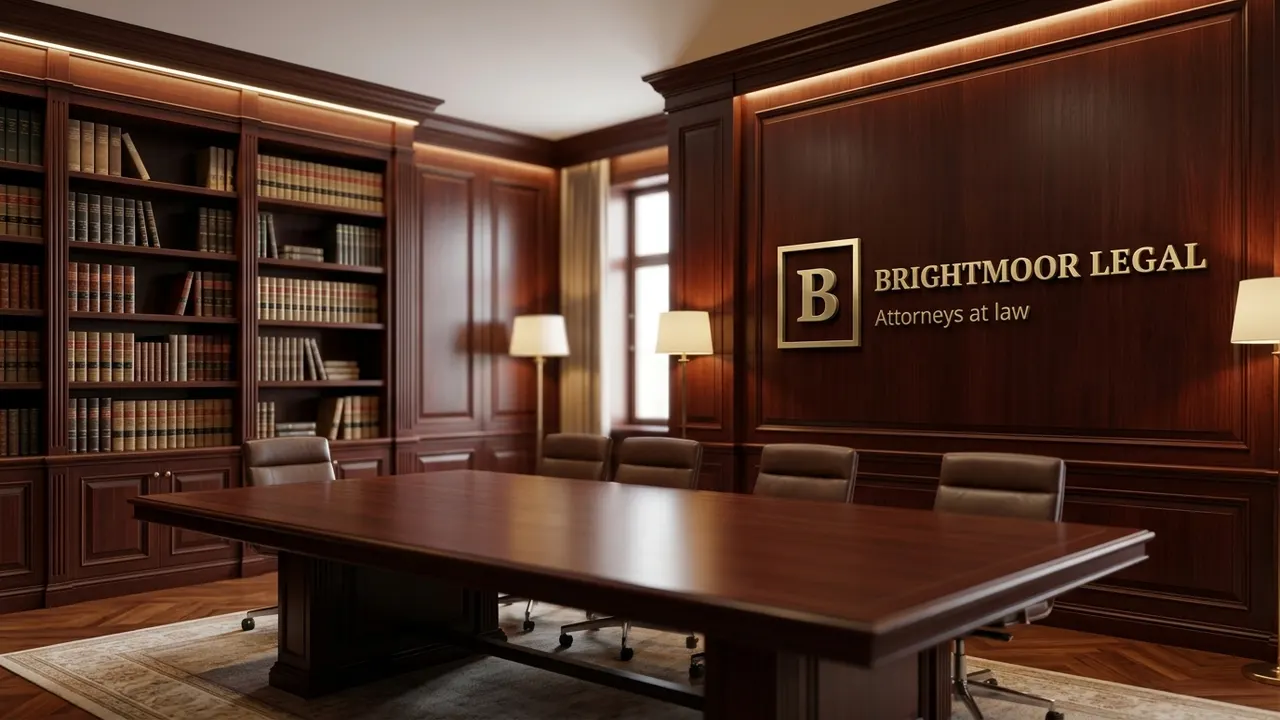

Fictional company logos created for demonstration. Images generated with Dream Office.
The right format for Zoom
- Size: 1920×1080 px (16:9), JPG or PNG.
- Keep the centre clear: your head sits there, so the logo goes to the side.
- Mirroring: you see yourself mirrored, but others see the logo the right way round.
How to add it in Zoom
- Open Zoom → Settings → Background & Effects.
- Click + → Add Image and pick your downloaded background.
- It stays available for every future meeting.
One look for the whole team
With the Team plan (€19/month, 50 backgrounds), everyone on sales calls shows the same branded office.
How it works
- Upload your logo (PNG or JPG).
- Choose a setting: modern office, boardroom, startup, plain wall.
- Get a free watermarked preview in about 30 seconds.
- Unlock the HD version and add it in Zoom.
Frequently asked questions
Is it free?
The watermarked preview is free. HD backgrounds cost €9 for a pack of 10, or €19/month for teams.
Does it work on Teams and Google Meet too?
Yes, it is a standard 16:9 image that works on Zoom, Teams, Meet and Webex.
Do I need a green screen?
No, Zoom's background removal works without one.
Related guides
Create my background with my logo
Free preview in 30 seconds · 10 HD backgrounds for €9 · Team €19/month